Skip to content
13viptaka App / Casino
LIVE LOBBY

13viptaka — Cricket Betting, Live Tables and Slots for Bangladesh

Your account wallet connects directly to bKash, Nagad and Rocket, so you move from login to the lobby without detours. Cricket markets, live casino tables from PG Soft and Pragmatic Play, and slot rooms including Crash WinBurst and Prize Carnival are all in one place — availability depends on your local law and eligible region.

bKash Nagad Rocket
Browse games
CONTENT / 01

Roulette Nightfire, Crash WinBurst and Sylhet Live Lobby

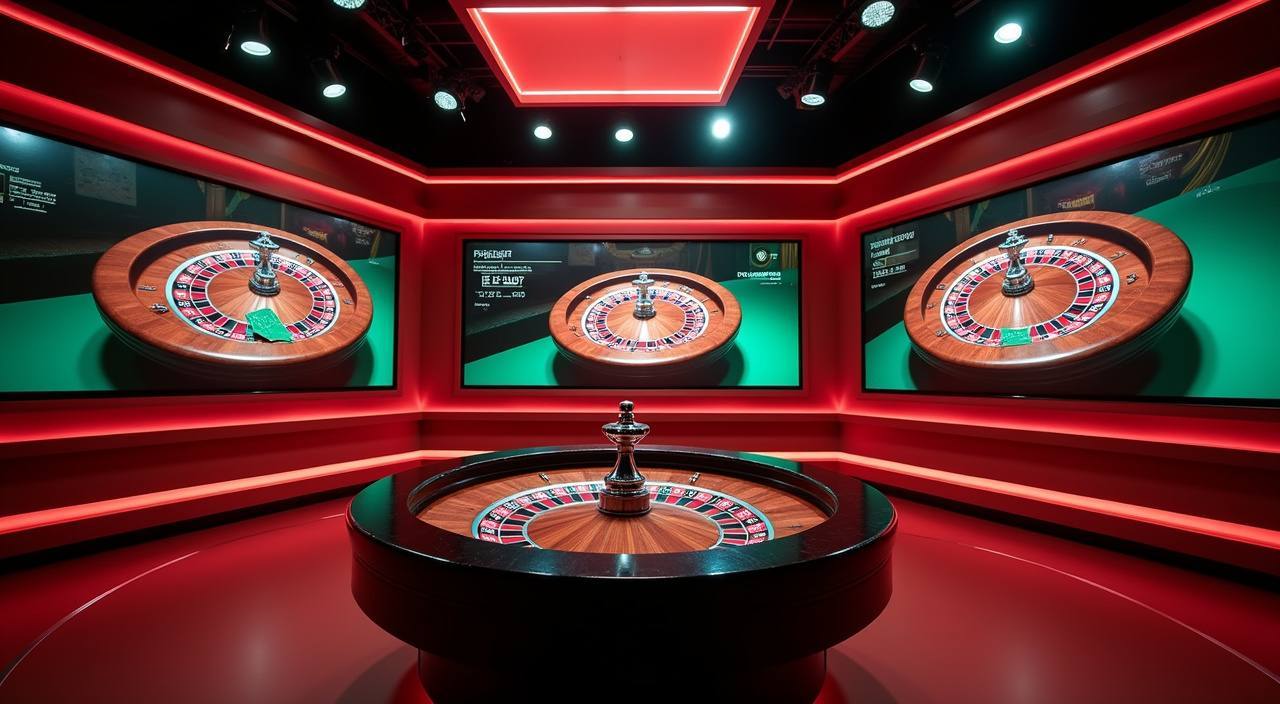
Three titles we get asked about most: Roulette Nightfire runs a live dealer format with multiple camera angles and a table-side bet panel; Crash WinBurst is a multiplier crash game where you set your exit point before the round closes; and Sylhet Live Lobby groups live dealer tables in a single filtered view so you can move between them without going back to the main lobby.

GAME NETWORK
PG Soft
Pragmatic Play
Spadegaming
Microgaming
Joker
JDB
CONTENT / 04

13viptaka lobby studios

The 13viptaka lobby carries content from PG Soft, Pragmatic Play, Spadegaming, Microgaming, Joker, JDB. To check the studio, rules or features of one specific game, open that game card or the published information panel.

  • PG Soft

  • Pragmatic Play

  • Spadegaming

  • Microgaming

  • Joker

  • JDB

DISCOVER / 01

Choose your game

Full lobby
CONTENT / 02

Casino Slots, Live Tables and the Sportsbook in One Place

The lobby organises everything into four clear tabs: slots, live casino, table games and sportsbook. Cricket is the category Bangladesh follows most — you will find international cricket markets and BPL match lines in the sportsbook tab when those events are scheduled and available in your region. Switch to the live casino tab for Pragmatic Play and PG Soft dealer tables, or go to slots for crash games and reel titles from Spadegaming and JDB.

ACCOUNT CARE SIGNALS

What Keeps Your Account on Solid Ground

Account controls, wallet visibility and support access are the three things we surface first — before anything promotional. Each one is reachable from your account dashboard after login without navigating away from the page you are on. The controls listed below are part of how 13viptaka is built, not an afterthought added later.

  • Wallet Transparency

    Your account wallet shows the current balance, each transaction reference and the payment channel used — bKash, Nagad, Rocket or Upay — in the transaction history tab. Nothing is hidden behind a separate report page. If a transaction shows a status you do not recognise, the support route is one tap from the same screen.

  • Account Controls in Your Dashboard

    Login history, active session details and account verification status are all visible from the dashboard after you sign in. You do not need to contact support to check whether your account is verified — the status is shown in plain text on your profile page. Follow the fields and instructions displayed there to complete any pending step.

  • Regional Access Clarity

    Access to game categories and betting markets depends on your local law and the eligible regions we serve. Where a category is not available in your region, the lobby will show it as unavailable rather than hiding it entirely. This gives you a clear picture of what is open to you without guessing.

  • Support Before You Need It

    The help route is reachable from every page — not just the dedicated support page. Whether your question is about a wallet deposit, a transaction reference or a lobby feature, the same channel handles it. We keep support access visible because account questions should not require a search to resolve.

HOW WE HELP YOU

Support Routes That Work on Your Phone

Account questions — whether about a Rocket deposit, a Nagad transfer status or a lobby feature you cannot find — go to the same support channel. We surface that channel at the top of every page so you are never more than one tap away from getting help. The three routes below are what we keep open for 13viptaka accounts.

  • Live Chat Support

    The live chat widget sits in the bottom corner of every page, including the lobby and account dashboard. Open it from your phone browser and describe your question — wallet status, transaction query or account verification. An agent picks up the conversation and stays on it until the question is resolved. No queue number, no separate app needed.

  • Email Account Help

    For account queries that need a written record — verification documents, transaction disputes or wallet mismatch reports — email is the right channel. Send your account details and the specific transaction reference shown in your history tab. Responses come to the address registered on your account, so keep that address current in your profile settings.

  • FAQ and Account Self-Help

    The FAQ section on this page covers the questions we see most often about deposits, withdrawals, login and account verification. For step-by-step account actions, the instructions are shown directly inside your dashboard — fields, limits and verification prompts are all labelled on screen. Check there first; it often resolves the question without waiting for an agent.

CRICKET AND LIVE BETTING

How the Sportsbook Works for Bangladesh Cricket Markets

Cricket is where Bangladesh players spend the most time in the sportsbook, and we have built the tab around that. International cricket matches and BPL fixtures appear in the sportsbook when they are scheduled and your region is eligible — you will see the available markets for each match listed under the event, not grouped into a single rolling ticker.

  • Cricket Markets

    International and BPL cricket markets are listed under the sportsbook tab when events are scheduled and your region is eligible. Each event shows its available market types — match result, over totals and similar — directly on the event card. No odds are fabricated here; what you see after login reflects the current live pricing.

  • Football Betblitz

    Football Betblitz is the football-category game in the lobby for players who want a sports-adjacent experience alongside traditional sportsbook lines. It sits in the sports section of the game lobby and opens directly from the tab — no separate registration or wallet required beyond your existing account.

  • Live Casino Tables

    Sylhet Live Lobby groups live dealer tables from PG Soft and Pragmatic Play in a single filtered view. Switch to it from the live casino tab and filter by table type — baccarat, roulette or blackjack — to land on the table you want. Roulette Nightfire is the live roulette title available in this section for supported regions.

LOCAL PAYMENTS

bKash, Nagad, Rocket and Upay on Your Account

Your account wallet is the point where all payment activity is recorded. Deposits and withdrawals flow through the payment rail you select — bKash, Nagad, Rocket or Upay — and every transaction gets a reference number shown in your wallet history. The payment page in your account lists the available rails, the fields you need to fill, and the limits that apply to your account tier.

  • bKash

    bKash deposits and withdrawals are handled through the mobile wallet flow — you enter the bKash number registered to your account, confirm the amount and follow the on-screen fields. The transaction reference appears in both your bKash app history and your 13viptaka wallet history once the transfer is confirmed by bKash.

  • Nagad

    Nagad works the same way as bKash on the payment page — select Nagad as your channel, enter the registered number and follow the fields shown. The amount moves from your Nagad wallet to your account balance once Nagad confirms the transaction on their end. Check your Nagad app alongside the wallet history if a status is pending.

  • Rocket

    Rocket is one of the two verified payment rails on this platform. Transactions through Rocket are confirmed against the mobile number linked to your account. The payment page shows the exact fields and limits for Rocket deposits and withdrawals — follow those instructions rather than estimating the amount.

  • Upay

    Upay is the second verified rail. It follows the same flow as Rocket — select Upay on the payment page, enter your registered wallet number and confirm the amount. The transaction reference from Upay matches the entry in your account wallet history, which is the record to use if you need to raise a query with support.

Banking
FROM REGISTRATION TO LOBBY

Four Steps from Account Open to Your First Game

Getting into the lobby takes four steps, each with clear on-screen instructions. There is no guesswork — every field tells you what it needs, and the account dashboard shows you what is still pending after you complete registration. Here is the path in order, so you know what to expect before you start.

  1. Step 1 — Open the Account Page

    Go to 13viptaka and select the account creation option. The registration form asks for your phone number, a password and the payment channel you plan to use first. Fill each field exactly as shown — the form validates as you go and flags any mismatch before you submit.

  2. Step 2 — Verify Your Contact Details

    After submitting the form, a confirmation is sent to the phone number or email address you registered. Follow the confirmation step shown on screen — the exact method depends on what your account requires. Once confirmed, your account status changes from pending to active in the dashboard.

  3. Step 3 — Connect Your Payment Rail

    Go to the payment section in your account dashboard. Select your preferred rail — bKash, Nagad, Rocket or Upay — and enter the wallet number registered in that app. The payment page shows the limits and fields for each rail; follow them exactly. Your wallet shows a zero balance until your first deposit is confirmed.

  4. Step 4 — Open the Lobby

    With your account active and wallet connected, select any lobby tab — slots, live casino, sportsbook or table games. The current titles available in your region load in the tab. Start with the game category you came for; switching between tabs does not restart your session or clear your wallet balance.

MEMBER DESK / 06

Offers, support and account controls

01

Game lobby

02

Payment guide

03

Support

13VIPTAKA
Mobile casino lobby
Popular Live Slots
Roulette Nightfire Sylhet Live Lobby Football Betblitz
MOBILE LOBBY

Built for phones, clear on desktop

Cards, tables, FAQ and policy pages stay easy to read on smaller screens.

  • Quick categories
  • Mobile first
  • Access
App
CONTENT / 03

The Home Screen Reads Well on a Small Screen

The 13viptaka home page is built for mobile browsing — the lobby tabs, wallet balance and support link all sit within thumb reach on a phone screen. You do not need to pinch and zoom to find the game category tiles or the payment section; the layout collapses into a vertical scroll that keeps the important controls near the top.

  • Mobile Wallet Access

    Your bKash, Nagad, Rocket or Upay transaction history is accessible from the wallet section of your account on any phone browser. The balance and most recent transaction reference appear at the top of the wallet page — you do not need to scroll to find the current state of a deposit or withdrawal you just made.

  • Lobby Navigation on Touch

    The lobby tab bar sits at the bottom of the screen on mobile so you can switch between sportsbook, live casino and slots without scrolling back to the top of the page. Game cards are sized for tap input — each one opens the game directly without an intermediate detail page slowing you down.

  • Support from Any Screen

    The live chat support widget loads on mobile the same way it does on desktop — bottom corner, one tap to open. If you are mid-session on a slot title and need to ask about a Nagad deposit, you do not need to leave the game page to access support. The widget overlays without closing the game.

ACCOUNT DASHBOARD OFFERS

What Is Currently Running Shows in Your Account

We do not publish a fixed schedule of what is available on the account gameplay board because the current state changes and a static page would mislead you. What we do instead is surface the current state directly in your account dashboard after login — whatever is running for your account tier and region is shown there, not on a marketing page that may be out of date.

Login
PLAYER INDEX / 07

Lobby and Game Mechanics — Plain Language

Some terms in the lobby and on game screens are specific to how those games work. These definitions cover what you will actually see in the 13viptaka lobby so you know what a term means before you start a round.

Player guide and glossary
  • What is a bonus round in a slot game?

    A bonus round is a separate feature triggered within a slot title — usually by landing a specific combination of symbols on the reels. During a bonus round the game switches to a different screen or mechanic, often with a different prize structure than the base game. In Crash WinBurst, the equivalent mechanic is the multiplier climb phase.

  • What does RTP mean and where do I find it?

    RTP stands for Return to Player — it is a percentage that describes how much of all wagered amounts a game returns as prizes over a statistically large number of rounds. It is a long-run average, not a round-by-round guarantee. In the 13viptaka lobby, RTP is shown only where the game or its studio exposes that figure. If a title does not display an RTP, the provider has not published it for the version in the lobby.

  • What is a crash game and how does Crash WinBurst work?

    A crash game is a round-based title where a multiplier climbs from a starting point and can stop — or crash — at any moment. You set your exit point before or during the climb. If the multiplier reaches your exit point before crashing, the amount won is added straight to your wallet. If it crashes before your exit, the round ends with no payout. Crash WinBurst follows this mechanic; the exact controls are described on the game screen.

  • What is a jackpot in a slot context?

    Jackpot is a slot game's top prize — hit on rare symbol combinations as defined by the game's own paytable. It is a mechanic, not a scheduled event. Whether a title in the 13viptaka lobby carries a jackpot mechanic depends on the studio and the specific game version. Check the paytable inside the game for the conditions that trigger the top prize on that title.

  • What are slot feature spins?

    Slot feature spins are a mechanic within many reel-based games where a triggered feature awards a set number of spins under modified conditions — different multipliers, locked reels or expanded symbol sets, depending on the title. The game screen explains the conditions for its own spin feature. This is a game mechanic term, not a promotional offer — it describes what the game does when the feature is triggered.

  • What is a live casino table and how is it different from a slot?

    A live casino table is a real-time video stream of a dealer running a card or roulette game from a studio. You place bets through the on-screen interface and the dealer handles the physical cards or wheel. Roulette Nightfire and the tables in Sylhet Live Lobby are examples in the 13viptaka lobby. Slots are fully software-driven with no dealer; live tables add a human element to the game.

  • What does 'market' mean in the sportsbook?

    A market is a specific bet type within an event — for example, match result, total runs in an over, or method of dismissal in a cricket match. Each event listed in the 13viptaka sportsbook shows the markets available for that event in your region. The number and type of markets vary by event and by what the sportsbook has priced for supported regions at that time.

Full glossary
LOBBY / 02

One mobile lobby, distinct game areas

Roulette Nightfire Live Roulette Nightfire Access → Sylhet Live Lobby Slots Sylhet Live Lobby Access → Football Betblitz Sports Football Betblitz Access → Crash WinBurst Slots Crash WinBurst Access → Easy Rocket Payout Slots Easy Rocket Payout Access → Prize Carnival Slots Prize Carnival Access →
EXPLORE FURTHER / 04

Explore detailed guides

Local lobby check

QUICK ANSWERS

Frequently asked questions

These are the questions that come up most often from accounts in Bangladesh — about login, wallet connections, lobby access and support. If your question is not here, the live chat route on this page is the fastest way to get a specific answer.

Read FAQ →
How do I connect my bKash account to my 13viptaka wallet?

After login, go to the payment section in your account dashboard. Select bKash as your deposit channel, enter the bKash mobile number registered in your name and follow the fields shown on screen. The dashboard displays the exact steps and limits for your account — follow those rather than a general estimate. Once the first transaction is confirmed by bKash, the channel is linked and your wallet balance updates automatically.

Can I use Nagad and Rocket on the same account?

Yes — the payment section of your account lets you manage multiple wallet channels. You can have Nagad and Rocket both listed as available rails and select which one to use at the time of each transaction. Each transaction record in your wallet history shows which channel was used and the reference number from that channel, so you can match it against your Nagad or Rocket app history if needed.

What do I do if my Upay deposit is not showing in my wallet?

First, check the transaction status in your Upay app — if Upay shows it as pending, the transfer has not completed on their end yet. If Upay shows it as successful but the amount is not in your 13viptaka wallet, go to the wallet history tab and note the transaction reference. Then open live chat support with that reference ready. The agent will check the payment record against the reference and advise on the next step.

Is the 13viptaka home page available without logging in?

You can browse the home page, view the lobby categories and read about game types without an account. To open an actual game, access the live casino, place a sportsbook market bet or make a wallet transaction, you need to log in. The registration link is on the home page; after account creation and wallet connection, the full lobby is accessible based on your region and local law eligibility.

How do I find my account verification status?

Log in and go to your account dashboard — the profile section shows your current verification status in plain text. If verification is incomplete, the dashboard lists the specific steps remaining and the fields you need to fill. You do not need to contact support to find out your verification status; it is visible in the dashboard. Contact support only if the dashboard shows a status that does not change after you have followed the on-screen steps.

Which game categories are available from the home page lobby?

The lobby on the 13viptaka home page has four main tabs: slots, live casino, table games and sportsbook. The slots tab includes crash games like Crash WinBurst and reel titles from studios including Spadegaming and JDB. The live casino tab shows tables from PG Soft and Pragmatic Play, including Roulette Nightfire. The sportsbook tab carries cricket markets and Football Betblitz. Availability in each tab depends on your region and local law.

What is the fastest way to reach support from the home page?

The live chat widget in the bottom corner of the home page is the most direct route — open it, describe your question and an agent joins the conversation. For account queries that need a document or a transaction reference, email is better because it creates a written record. Both routes are accessible without navigating away from the home page. If you are on a game screen, the chat widget opens without closing the game.

Does 13viptaka work on a phone without downloading an app?

The home page and the full lobby are accessible from a phone browser without downloading anything. The layout adapts to your screen size — lobby tabs, wallet balance and the support widget are all within thumb reach. Specific games like Roulette Nightfire and Crash WinBurst open full-screen in the browser. Your account dashboard, wallet history and payment section are also fully functional in the mobile browser without a separate app.

READY WHEN YOU ARE

13viptaka game lobby

Access may be available only where local law permits.

Register Login